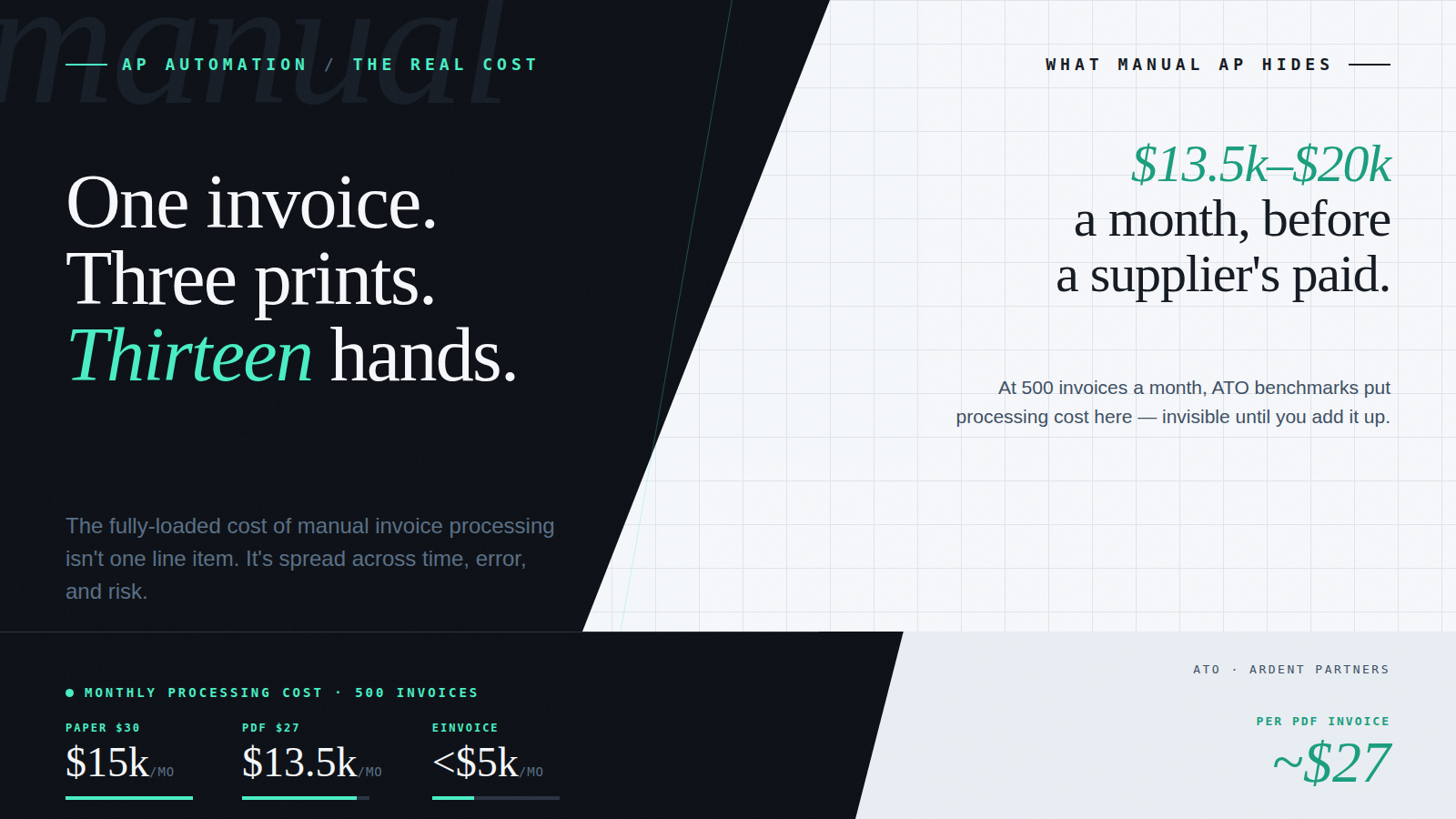
A single PDF invoice. Printed three separate times. Handled by at least thirteen different people before it was paid.
That’s not a worst-case scenario. It’s a real workflow mapped inside a multi-branch organisation and variations of it are still running inside businesses right now.
Manual invoice processing is the practice of handling supplier invoices through human-dependent steps; data entry, physical or digital circulation for coding and approval, and manual posting to the accounting system, without automated validation, routing, or controls. The ATO benchmarks the cost at approximately $30 per invoice for PDF invoices processed manually. At scale, that cost compounds fast.
How a Single Invoice Moves Through a Manual AP Workflow
Most supplier invoices at this organisation arrived as PDF attachments. When one landed in the finance inbox, a member of the AP team downloaded it, printed it, stamped it with the date received, and scanned it for forwarding to the relevant branch for coding and approval.
At the branch, the invoice was printed again. A manager reviewed it, wrote the GL code on the document, signed it, scanned it, and sent it back to head office.
Back at head office, the finance team manually entered the invoice into the accounting system. The invoice was printed a third time and filed for audit and payment verification. During payment runs, staff physically compared accounting system entries against the paper file.
The date stamp existed for one reason: to prevent finance from being blamed for delays while the invoice was out with the branch. That alone tells you something about the process.
Thirteen people. Three prints. Not a single touchpoint was adding financial intelligence, they were simply the cost of manual invoice processing in action.
Many organisations have since replaced the physical printing with a PDF stamp tool and email circulation. The paper is gone. But the underlying workflow is unchanged: invoices still travel up and down the organisation for coding and approval, every step still depends on someone noticing a problem before it becomes a payment error, and the AP audit trail is still fragmented across inboxes. Digital invoicing without automation is still manual.
What the Research Says About Manual AP Cost per Invoice
The cost numbers from manual processing are well-researched and consistent across jurisdictions.
The Australian Taxation Office found that manually processing a PDF invoice typically costs around AUD $27–$30 per invoice once all handling steps are included. This is predominantly workflow cost, the labour of coding, routing, approving, matching, and resolving every invoice. Structured electronic invoices (Peppol eInvoices), where data is transmitted digitally rather than extracted from a document, can reduce that cost to under $10, but only when combined with AP workflow automation. eInvoicing eliminates the capture step; workflow automation eliminates the remaining 94% of the cost.
New Zealand’s Ministry of Business, Innovation and Employment (MBIE) reached nearly identical conclusions while promoting Peppol network adoption: NZD $28–$30 for a PDF invoice processed manually, versus NZD $7–$9 for a structured eInvoice processed through an automated AP workflow. The NZD $7–$9 figure, like the ATO’s sub-$10 benchmark, represents the combined saving from workflow automation plus eInvoicing, not eInvoicing alone.
Global research from Billentis, whose business case report was commissioned by the Australian Taxation Office, reinforces these numbers, showing manual processing costs of $25–$35 per invoice, with electronic and automated invoice processing reducing costs by 60–$80%. That figure represents the combined savings from both workflow automation and electronic invoice receipt, not eInvoicing alone.
Ardent Partners’ annual AP benchmarking research reaches consistent findings: $15–$40 per invoice for manual AP, dropping to $2–$5 with automated workflows, confirming that the dominant saving comes from eliminating manual workflow decisions.
The common thread across every study: the cost of processing an invoice is not driven by the document itself – it’s driven by the number of manual decisions required to move it through the organisation.
Where the Hidden Costs Actually Live
The $27–$30 benchmark represents the fully-loaded cost of every manual step an invoice passes through: data entry, GL coding, approval routing, PO matching, exception resolution, and archiving, not just printing and filing. Billentis research commissioned by the ATO breaks this down as approximately 94% workflow cost and 6% capture cost, confirming that the dominant cost driver is the human labour of moving the invoice through the organisation, not the act of receiving it. What the headline benchmark doesn’t fully surface is the additional cost of what goes wrong in manual environments, and how often.
Duplicate invoices are one of the most persistent and invisible risks. Suppliers send invoices more than once, after a payment delay, when multiple departments receive copies, or when a corrected invoice is issued without cancelling the original. In manual environments, prevention depends entirely on the AP team checking invoice numbers and amounts across every payment run. One missed check is a duplicate payment.
Approval bottlenecks compound the cost. The invoice approval workflow in most manual environments runs through email chains. Invoices sit in inboxes while approvers are busy or away. Finance spends significant time chasing sign-off that should have been automatic. From a compliance perspective, email-based approvals also leave no traceable audit trail; who approved what, when, and at what amount, creating exposure during both internal and external audits.
GL coding errors and misallocations round out the picture. Manual coding relies on individuals interpreting invoices consistently across every processing run. Errors surface at month-end, when the reconciliation overhead is highest and the close timeline is already under pressure.
Each of these isn’t a rare exception – it’s a structural feature of a workflow that has no automated checks. The cost isn’t just in the time spent processing invoices correctly. It’s in the time spent fixing the ones processed incorrectly.
What Accounts Payable Automation Actually Changes
AP automation doesn’t speed up the existing workflow, it replaces it with something structurally different.
Instead of manual data entry and fragmented email approvals, an automation platform captures invoice data automatically, validates supplier details against the accounting system, runs duplicate detection before the invoice enters the approval queue, applies GL coding rules, matches invoices against purchase orders where they exist, and routes each invoice to the correct approver based on pre-configured delegation rules. Every action is logged. Every exception is flagged. Nothing proceeds without a traceable decision behind it.
The result isn’t just lower processing cost, it’s the elimination of an entire category of risk. Duplicates are caught before payment. Coding errors are prevented by rules, not discovered at month-end. Approvals happen in the platform, not inboxes, with a complete audit trail by default.
For ANZ businesses, there’s a forward-looking dimension too. Australia’s eInvoicing mandate, built on the Peppol network, is expanding toward 2026 compliance deadlines. Peppol eInvoices arrive as structured data that flows directly into the accounting system, reducing the per-invoice cost from $27 to under $10 and eliminating the extraction step entirely. Businesses that transition to a platform handling both PDFs and Peppol eInvoices natively are building the compliance position now rather than retrofitting it under deadline pressure.
For finance leaders at ANZ mid-market businesses running Xero or MYOB, the transition to automated AP is no longer just an efficiency play. The combination of processing cost reduction, compliance readiness, and fraud controls makes it a strategic one.
Ready to Replace Manual Invoice Processing?
Acume helps finance teams replace manual invoice workflows with intelligent AP automation, from data capture and duplicate detection to PO matching, approval routing, and Peppol eInvoicing. If the workflow described in this article sounds familiar, we should talk.
Frequently Asked Questions
How much does manual invoice processing cost per invoice in Australia?
The Australian Taxation Office benchmarks manual PDF invoice processing at approximately AUD $27–$30 per invoice once all handling steps are included. New Zealand’s MBIE found similar costs of NZD $28–$30 per invoice. Billentis research commissioned by the ATO confirms these benchmarks globally ($25–$35) and shows that the $27 cost is approximately 94% workflow and 6% capture. Automated AP workflow combined with Peppol eInvoicing reduces processing cost to under $10 – workflow automation is the primary lever, eInvoicing compounds it by eliminating the capture step.
What is the difference between digital invoicing and AP automation?
Digital invoicing replaces paper with PDF, the invoice travels by email instead of post, but every handling step (coding, approval, data entry) still requires human intervention. AP automation replaces the workflow itself: invoice data is captured automatically, supplier details are validated, duplicates are detected before entry, GL codes are applied by rule, and approvals route automatically. The cost difference is substantial, digital invoicing removes paper costs; AP automation removes the cost of every manual touchpoint.
What causes duplicate invoice payments and how does automation prevent them?
Duplicate invoices occur when a supplier sends the same invoice more than once, after a payment delay, when multiple departments receive copies, or when a corrected invoice is issued without cancelling the original. Automated AP runs duplicate detection on every invoice before it enters the approval queue, flagging potential duplicates before they reach payment, not after.
How does AP automation improve invoice approval workflows?
Manual approval workflows route invoices by email, creating bottlenecks when approvers are unavailable and leaving no traceable audit trail. Automated approval routing sends each invoice to the correct approver based on pre-configured rules, supplier, amount, cost centre, and delegated authority — with every action logged automatically. Approvals happen in the platform, not inboxes, and the audit trail exists by default.
A demo on your actual workflow.
A live walkthrough using real data – the capture, the coding, the approval routing – and how it sits inside the AP workflow you already run. No slideware.