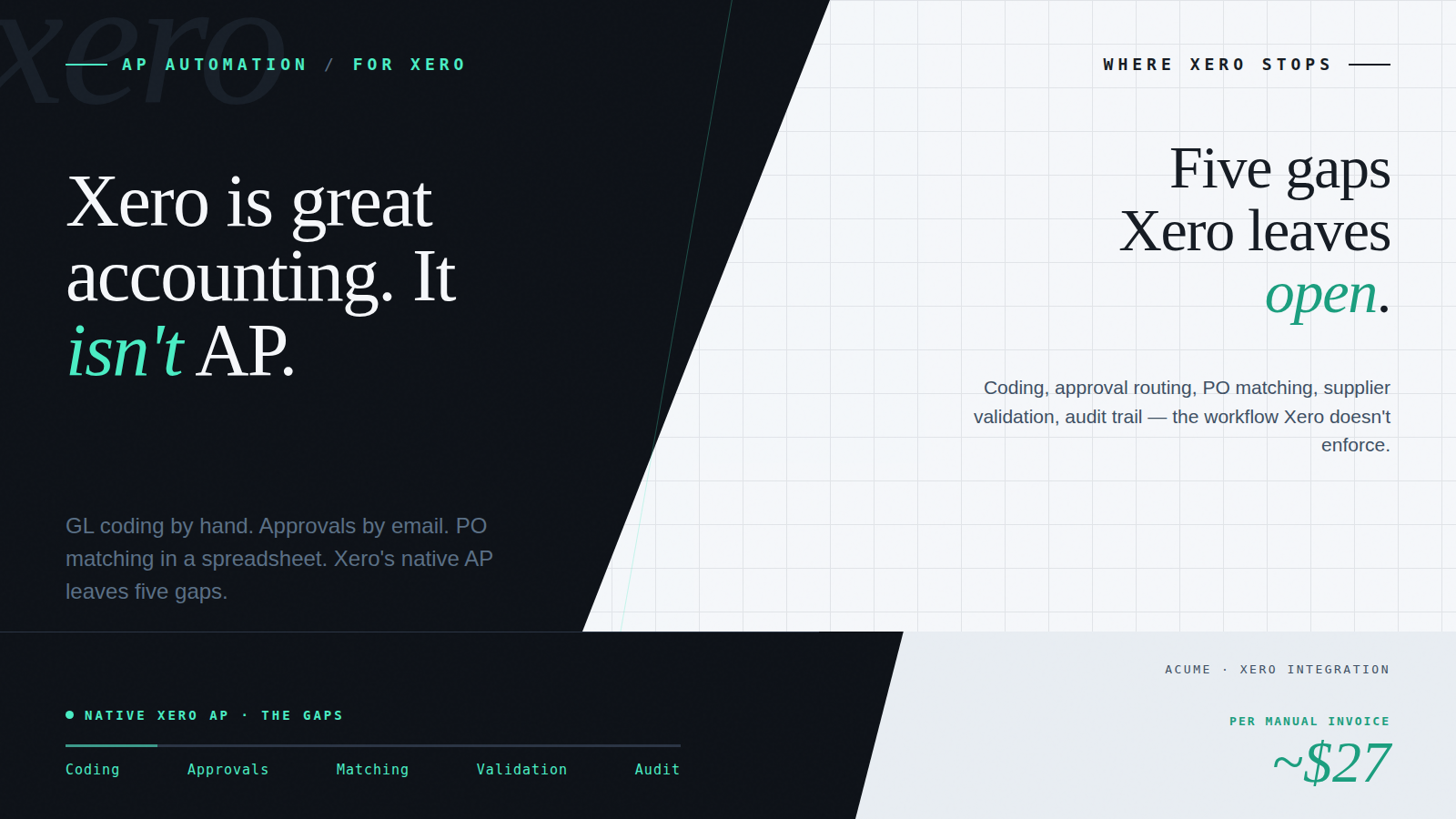
Xero is genuinely excellent at what it was designed to do. The chart of accounts, bank feeds, reporting, and reconciliation are best-in-class for small and mid-market businesses. If your AP process involves a small number of invoices, straightforward supplier relationships, and a single entity, Xero’s native bill management handles it well enough.
The gap opens when invoice volume grows, approval chains get more complex, or the business scales to multiple entities. Xero wasn’t designed to be a full AP workflow platform; it was designed to be an accounting system. The difference matters in practice: an accounting system records financial transactions and keeps the books. An AP workflow platform governs the process by which those transactions are approved, coded, validated, and prepared for recording.
Most Xero AP teams processing 100 or more invoices a month have already hit this gap without necessarily naming it. They’re working around it with email approval chains, manual GL coding, spreadsheets for PO matching, and a growing pile of items that fall through the cracks because nobody’s systematically checking them. The workarounds work, until they don’t, and then they don’t work visibly and expensively.
This piece maps exactly where Xero’s native AP ends and where an AP automation add-on picks up, and how the two connect so that Xero stays your accounting system and your source of financial truth throughout.
The Manual Workarounds Most Xero AP Teams Are Running
Before walking through what an AP add-on adds, it’s worth being specific about what the manual workarounds actually look like, because they’re so normalised that finance teams often don’t register them as problems until they start measuring the time cost.
Invoice capture: still manual
Supplier invoices arrive as PDF attachments in emails. Someone on the finance team downloads them, reviews them, and either enters them into Xero as bills manually or uses Hubdoc to capture data from the PDF. Hubdoc improves data extraction but doesn’t automate what happens to the invoice after it’s captured, the coding, routing, and approval still require human input.
For Peppol eInvoices, Xero has Peppol connectivity, suppliers can transmit structured eInvoices that arrive in Xero’s inbox. But the AP workflow that follows (coding, approval, matching) is still manual in Xero’s native environment. The eInvoice arrives as a structured document; what happens next still depends on the finance team.
GL coding: still a judgment call
Xero offers GL code suggestions based on historical patterns, but it doesn’t enforce rules. Every invoice that doesn’t follow a predictable pattern requires someone to look it up, interpret the correct allocation, and enter it. For businesses with multiple cost centres, project codes, or tracking categories, this is a significant source of both delay and error, errors that surface at month-end reconciliation when they’re most expensive to fix.
Approval routing: still by email
Xero has a bill approval request feature, but it’s designed for straightforward single-approver workflows. It doesn’t support multi-tier approval hierarchies, delegation of authority thresholds, absence rules, or automatic escalation. In practice, most Xero AP teams route invoices for approval by email, forwarding attachments, waiting for replies, and chasing when approvers don’t respond. There’s no audit trail that captures who approved what, at what amount, under which authority.
PO matching: still a spreadsheet
Xero doesn’t have native two-way or three-way purchase order matching. For businesses with any PO-based procurement, matching supplier invoices against purchase orders and goods receipts is a manual exercise, typically maintained in a spreadsheet alongside the Xero bills. Discrepancies are caught when someone notices them, which may be at payment time rather than at invoice receipt.
Supplier validation: not present
Xero maintains a supplier list, but it lacks controls for supplier bank account verification, change management, or anomaly detection. A bank account update in Xero requires no independent verification, which is the structural vulnerability that Business Email Compromise fraud exploits. The fraud pattern is well-documented: a fraudulent bank account update email, processed through the same informal channel as every other supplier change, results in a payment to the wrong account.
There’s a related problem at the point of supplier creation. When Xero encounters a new supplier, via Hubdoc or manual bill entry, it automatically creates a new supplier record, even if the supplier already exists under a slightly different name. A supplier trading as ‘Smith Plumbing’ may already exist in Xero as ‘Smith Plumbing Services Pty Ltd’ or ‘Smith Plumbing & Gas’. Xero doesn’t deduplicate; it creates a third record. Over time, multi-name supplier records accumulate, payment history is fragmented across duplicate records, and reconciliation becomes more difficult. The AP team managing this manually has to periodically audit and merge duplicates, work that a governed supplier validation layer prevents at the point of entry.
What an AP Automation Add-On Adds: The Capability Map
An AP automation add-on doesn’t replace Xero, it extends the workflow layer that Xero doesn’t provide. The accounting entries, bank feeds, reporting, and chart of accounts all stay in Xero. What the add-on provides is everything that happens between an invoice arriving and it being posted in Xero as a confirmed, approved bill.
Capability — Xero native — With AP automation
Invoice capture — Manual bill entry or Hubdoc/Auto-fetch for bank-feed matched documents — AI extraction from PDF and scanned invoices; native Peppol eInvoice ingestion, no OCR for structured eInvoices
GL coding — Manual entry by finance team; Xero suggests from history but doesn’t enforce rules — Pre-configured business rules apply GL codes, cost centres, tracking categories, and tax treatment automatically
Approval workflow — Email or Xero’s basic single-approver request; no multi-tier, no delegation of authority — Configurable multi-tier approval routing by amount, supplier, entity, and delegated authority; absence rules; complete timestamped trail
PO matching — No native two-way or three-way PO matching — Automated two-way and three-way matching against purchase orders and goods receipts; exceptions flagged; straight-through for compliant invoices
Supplier validation — No bank account verification or supplier master data controls — Bank details locked; changes require verified process; ABN/tax ID matched; anomalies flagged before processing
Audit trail — Bill history in Xero; approval email chains separate and unstructured — Complete timestamped audit trail: receipt, coding, approver identity, delegation authority, ERP posting, all linked to the source invoice
Multi-entity AP — Separate Xero organisations into different email boxes or switch by email received between accounts — All entities visible in one platform; navigate between Xero organisations without separate logins; consistent workflow across each
Peppol eInvoicing — Xero can receive eInvoices via Peppol network; workflow automation layer is separate — Peppol eInvoices received natively into the same AP workflow as PDFs; no separate process; structured data preserved
The table above shows the gaps as they typically exist in practice. A few deserve more detail:
Auto-coding and business rules is where the daily time saving is largest for most teams. Acume’s business rules come pre-configured based on AP best practice, supplier defaults, GL and tax coding logic, threshold-based approval triggers, and cost centre allocation. Teams don’t build rules from scratch; they adjust a proven baseline for their specific structure. The effect is a shift from coding every invoice to handling only the exceptions.
Multi-tier approval workflows with delegation of authority are what make AP controls actually enforceable. A finance policy that says ‘invoices above $10,000 require CFO sign-off’ is only as strong as the process that enforces it. Email chains don’t enforce it, they create a record of who was asked, but not a record of whether the correct authority applied. The AP platform enforces it structurally, routes correctly every time, and logs every decision with a timestamp.
Supplier validation closes the fraud gap left open by Xero’s native supplier management. Supplier bank details are locked in the AP platform; changes require a verified update process, not an email instruction. Invoice anomalies (bank account mismatches, tax ID discrepancies, unusual amounts for a known supplier) are flagged before the invoice reaches approval. The financial controller who implements this isn’t adding a control layer on top of an existing process, they’re replacing an informal process with a governed one.
How the Xero Integration Works – For the Finance Team, Not IT
The most common concern Xero users have about adding an AP automation layer is that it creates a parallel system to maintain, a separate supplier list, a separate chart of accounts, data that has to be kept in sync manually with Xero. That concern is legitimate but describes a badly designed integration, not how a native Xero integration should work.
The Acume integration to Xero is API-based. The connection is established during setup and takes minutes, not weeks, not an IT project. Once connected:
- Your Xero chart of accounts, GL codes, tracking categories, and tax codes sync directly into Acume. You don’t re-enter or maintain them separately. When your chart of accounts changes in Xero, the change is automatically reflected in Acume.
- Your Xero supplier list syncs into Acume. New suppliers added in Xero are available in Acume’s workflow without manual duplication. Acume adds the validation controls; Xero remains the master supplier record.
- Approved invoices post back to Xero automatically. When an invoice has completed the approval workflow in Acume, coded, matched, and approved under the correct delegation authority, it posts to Xero as a confirmed bill, ready for the payment run. No re-entry, no data transfer, no chance of transcription error.
- Xero stays the source of financial truth. The AP platform governs the pre-posting workflow. Xero governs the financial record. The two don’t duplicate each other.
For the finance team, this means the Xero environment doesn’t change; your payment runs, reconciliation, bank feeds, and reporting all continue as before. The AP workflow that feeds Xero becomes governed and auditable. The accounting system stays exactly where it should be.
Business rule setup, mapping your GL codes, approval hierarchy, cost centres, and supplier defaults into Acume, takes longer than the connection itself, and is where the implementation effort actually lives. A pre-configured rules baseline significantly shortens this: rather than building rules from scratch, the implementation process is one of adjusting a proven AP best-practice framework to your specific structure.
Multi-Entity Xero: One Workflow Platform Across Multiple Organisations
Multi-entity businesses running Xero face a specific problem that the accounting system itself doesn’t solve. Each legal entity needs its own Xero organisation, its own chart of accounts, its own bank feeds, and its own reporting. That’s correct and appropriate. But it means the AP workflow for the group is fragmented across as many Xero logins as there are entities.
In practice, this creates a set of problems that are familiar to any financial controller responsible for more than one Xero organisation:
- Logging in and out of separate Xero organisations to review and approve invoices. The process that should take ten minutes takes thirty because the context-switching overhead is unavoidable.
- No consolidated view of what’s outstanding across the group. Each entity’s AP position is visible only within that entity’s Xero. Getting a group-level picture requires logging into each one and manually assembling it.
- Inconsistent approval processes across entities. The approval workflow that the CFO signed off on for the main entity may not be replicated in the subsidiary, because there’s no mechanism to enforce consistency.
- Month-end held together by individuals. In multi-entity environments, the finance team member who knows which invoices are outstanding in each entity is often the only person who does. The business is one resignation or leave period away from a delayed close.
An AP automation platform addresses this by sitting across all entities, each Xero organisation connects as a separate Acume account, with its own GL codes, supplier data, and approval hierarchy, but all visible and navigable within one platform. A financial controller responsible for three entities can review the AP position across all three without logging into three Xero organisations. Approval workflows are consistent. The audit trail is consistent. Month-end close is a validation of what the system already reflects, rather than an assembly of what’s sitting in separate inboxes.
The entities remain legally and financially independent, each Xero organisation is intact, each chart of accounts is mastered separately, each payment run is separate. The AP workflow layer that governs what posts to Xero is unified.
eInvoicing on Xero: What 2026 Readiness Actually Looks Like
Xero has Peppol network connectivity, suppliers can transmit structured eInvoices that arrive in Xero. That’s a meaningful capability and puts Xero ahead of platforms that have no Peppol integration at all. But there’s a distinction that matters for ANZ businesses thinking about their 2026 readiness, and it’s worth being specific about it.
Receiving a Peppol eInvoice in Xero and processing it through a governed AP workflow are two different things. When a structured eInvoice arrives in Xero, the invoice data is presented, including every line item the supplier included in the structured document. Xero presents each line for individual GL coding. For businesses that want to roll the whole invoice to a single header-level GL code rather than code line by line, the options are either to delete the individual lines or to code them all separately. Neither is automatic, and for invoices with many line items from a supplier where the coding is straightforward, this creates manual handling work that defeats part of the purpose of receiving a structured eInvoice in the first place.
The AP workflow layer addresses this: business rules can apply a single header-level GL code to the full invoice amount where the supplier coding logic supports it, or apply line-level rules where needed, without requiring the finance team to manually intervene on every eInvoice that arrives with multiple lines.
The question for 2026 readiness isn’t ‘does our platform receive Peppol eInvoices?’ It’s: ‘Does our AP workflow process Peppol eInvoices with the same governance, coding automation, and approval controls as every other invoice, without a separate manual step?’
An AP add-on with native Peppol integration routes Peppol eInvoices into the same governed workflow as PDFs, Default coding from business rules, automated approval routing, PO matching if applicable, complete audit trail, and export to Xero on approval. The eInvoice data doesn’t need to be manually entered, reviewed separately, or converted to a different format. It arrives structured and is processed structurally.
For Xero users building their eInvoicing readiness ahead of 2026:
- Peppol-capable suppliers will increasingly send structured eInvoices rather than PDFs. A workflow that handles both formats identically, with no manual step for the eInvoice, is the 2026-ready state.
- Commonwealth government agencies already require Peppol eInvoices for B2G transactions. Businesses with government customers need Peppol-capable outbound billing (see the companion piece on outbound eInvoicing).
- The cost benefit of eInvoicing, the elimination of the extraction step, the reduction in per-invoice processing cost, is only realised if the workflow automation layer processes the structured data directly. A Peppol eInvoice processed through an OCR-based workflow delivers compliance without the cost benefit.
Ready to See What’s Possible for Your Xero Setup?
Acume connects natively to Xero, pulling your chart of accounts, suppliers, and tracking categories directly, posting approved invoices back automatically, and handling Peppol eInvoices in the same workflow as PDFs. The accounting system stays exactly where it should be; the AP workflow layer becomes governed, auditable, and eInvoicing-ready.
Frequently Asked Questions
Does AP automation replace Xero?
No. Xero remains your accounting system and source of financial truth. The AP automation platform governs the workflow that happens before invoices are posted to Xero, capture, coding, approval, and matching. Approved invoices post back to Xero automatically via API. Your chart of accounts, bank feeds, payment runs, and reporting all stay in Xero exactly as before.
How does an AP add-on connect to Xero?
The connection is API-based and established during setup, it takes minutes, not an IT project. Once connected, Acume pulls your Xero chart of accounts, suppliers, tracking categories, and tax codes directly. Changes in Xero sync through automatically. Approved invoices post back to Xero without manual re-entry. You don’t maintain a parallel supplier list or chart of accounts in the AP platform.
Can it handle multiple Xero organisations?
Yes. Each Xero organisation is connected as a separate Acume account, with its own GL codes, approval hierarchy, and supplier data, but all entities are visible and navigable within a single platform. Financial controllers responsible for multiple entities can review AP positions and approve invoices across all of them without logging in and out of separate Xero organisations.
Is it eInvoicing-ready for 2026?
Yes. Peppol eInvoices are received natively and processed through the same governed AP workflow as PDFs, no separate process, no manual conversion step, structured data preserved throughout. As your supplier base adopts Peppol progressively, eInvoices will begin appearing in your workflow automatically alongside PDFs, processed identically.
What does AP automation for Xero cost?
AP automation platforms typically charge a monthly subscription based on invoice volume or user count, plus a one-off implementation fee for setup, rule configuration, and onboarding. The relevant comparison is against your current per-invoice processing cost: the ATO benchmarks manual PDF invoice processing at approximately $27 per invoice, fully loaded. Most ANZ businesses processing 200+ invoices per month achieve payback within six to twelve months of deployment.
What does implementation require from IT?
Very little. The Xero API connection requires authorisation from your Xero account; there is no IT development work. The main implementation effort is rule configuration: mapping your GL codes, cost centres, approval hierarchy, and supplier defaults into Acume. This is done by the implementation team using a pre-configured AP best-practice baseline adjusted for your structure. IT involvement is typically required only if you have a legacy ERP or a non-standard integration alongside Xero.
A demo on your actual workflow.
A live walkthrough using real data – the capture, the coding, the approval routing – and how it sits inside the AP workflow you already run. No slideware.