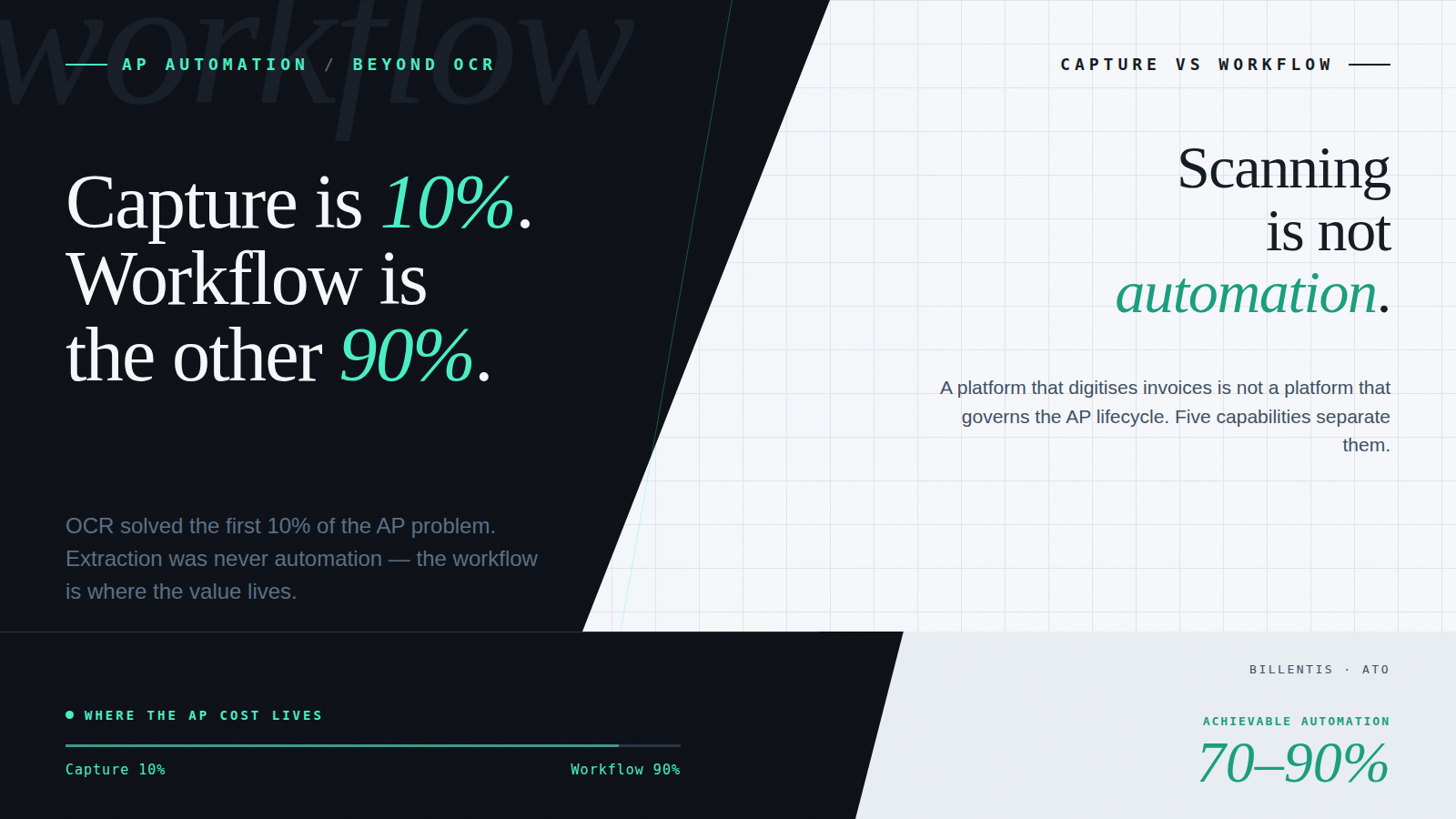
OCR (optical character recognition) was a genuine breakthrough for AP teams. The ability to scan a paper or PDF invoice, extract the header data, and push it into an accounting system automated something that had previously been done entirely by hand. For a lot of businesses, it felt like the automation problem was solved.
It wasn’t. It was the first 10% of the problem.
The shift from OCR-only to full AP automation is the move from a tool that digitises invoices to a platform that governs the entire AP lifecycle; extraction, coding, matching, approval routing, compliance controls, and ERP export, with automation and audit built in at every step, not just at the point of capture.
Extraction tells you what’s on the page. It doesn’t tell you how to code it, who needs to approve it, whether it matches a purchase order, or whether the supplier details are current and validated. All of that, the part where the actual AP work happens, remained manual. And for ANZ mid-market businesses heading into 2026, with eInvoicing mandates expanding and audit requirements tightening, the gap between what OCR provides and what AP needs has become impossible to ignore.
Here’s what that shift looks like in practice, and why it matters.
What OCR Actually Solves, and What It Doesn’t
OCR solves the digitisation problem: it converts text in a scanned or PDF document into machine-readable data. In the context of AP, that means extracting the supplier name, invoice number, date, amount, and line items from an incoming invoice and making that data available to a downstream system.
That’s genuinely useful. But it’s a narrow capability. The AP workflow that follows extraction is where the operational complexity and the manual effort live:
- Coding. Invoices need to be allocated across GL codes, cost centres, projects, branches, and entities. OCR captures the invoice data; it doesn’t know where the cost belongs.
- Matching. For PO-based purchases, the invoice needs to be validated against the purchase order and goods receipt. OCR has no concept of what a PO is.
- Approval routing. The invoice needs to reach the right approver based on supplier, amount, entity, and delegated financial authority. OCR doesn’t know your approval hierarchy.
- Exception handling. When something doesn’t match – a price discrepancy, a missing PO reference, an unrecognised supplier – someone needs to investigate. OCR flags nothing; it just extracts.
- Compliance and audit. Every transaction needs a clear, visible audit trail. OCR captures data; it doesn’t govern it.
- ERP export. Validated invoices need to reach the accounting system accurately, without rework. OCR gets data out of the document; it doesn’t get it correctly into the ERP.
In our experience across ANZ client deployments, invoice capture accounts for roughly the first 10% of the AP process by effort and risk. The other 90% is workflow, and workflow is where most businesses are still operating manually, or with a patchwork of tools that don’t connect cleanly.
How AI Has Changed the Extraction Step
Before describing what comes after extraction, it’s worth addressing what AI has done to the extraction step itself, because it’s a meaningful improvement, even if it’s still just the beginning.
Traditional OCR reads text positionally: it finds characters on a page and converts them to strings. It doesn’t understand what those strings mean in a financial context. When an invoice has an unusual layout, or a line item spans multiple rows, or a credit note is formatted differently from a standard invoice, template-based OCR breaks. The exception goes to a human.
AI-powered extraction works differently. Rather than reading text positionally, it interprets document structure contextually. A freight invoice that splits charges across multiple GL codes; fuel surcharges, handling fees, customs duties, presents different data in each line item. OCR captures the text; AI extraction understands the structure and classifies each line correctly without template configuration.
Similarly, a credit note formatted identically to a standard invoice, same supplier, same layout, just a negative amount, will be mishandled by OCR if it isn’t specifically configured to recognise it. AI extraction identifies the document type from structural and contextual signals, not just field values.
Acume uses AI-powered contextual extraction designed specifically for financial documents:
- Understands invoice structure rather than reading text character by character
- Extracts line-level and header-level fields with higher accuracy across varied supplier formats
- Interprets financial context including tax logic, totals, and document type
- Learns from supplier patterns over time, reducing exception rates as volume builds
- Handles any format natively, scanned documents, digital PDFs, and structured Peppol eInvoices
Better extraction reduces the exceptions that reach the workflow. But the workflow itself is still where the real efficiency gain lives.
The Five Capabilities That Define Modern AP Automation
Best-practice AP automation unifies the entire invoice lifecycle into one structured, governed process. Each capability builds on the last, from getting the invoice in cleanly, through coding and matching and approval, to accurate ERP export.
1. Multi-Format Ingestion: PDF, Digital, and Peppol eInvoicing
Modern AP platforms need to handle every invoice format a supplier might send, standard PDFs, scanned documents, and structured eInvoices exchanged via the Peppol network, and route all of them into one consistent workflow without manual sorting.
For ANZ businesses, this is becoming urgent. Australia’s eInvoicing mandate, built on the Peppol network, is expanding toward 2026 compliance deadlines. Government suppliers are already in scope; broader B2B transactions are next. eInvoicing replaces PDF invoices with structured, machine-readable data exchanged directly between accounting systems, eliminating the OCR step entirely for compliant suppliers.
Acume ingests PDFs, scanned documents, and Peppol-compliant eInvoices natively, routing everything into the same workflow regardless of format. Clients don’t need a separate process for eInvoices; they simply start appearing alongside PDF invoices as Peppol adoption grows.
2. Auto-Coding and Intelligent Business Rules
Manual coding is one of the largest sources of delay and error in AP. For each invoice, someone needs to determine the correct GL code, cost centre, project, branch, and entity allocation, and get it right, consistently, across every invoice processed.
Acume’s business rules come configured out of the box, built on AP best practice and ready to apply without custom development for each client. Rather than building rules from scratch per engagement, clients start from a proven baseline and adjust:
- Supplier defaults. Common coding applied automatically for known suppliers.
- GL and tax coding logic. Correct allocation based on invoice type, supplier category, and entity.
- Threshold-based approval triggers. Amounts above defined limits automatically escalate to the appropriate authority.
- Cost centre, branch, and project allocations. Consistent across multi-entity structures.
- Rounding tolerances and validation checks. Minor variances handled automatically; genuine discrepancies flagged for review.
- Supplier master data validation. Bank details and supplier information are verified against each invoice before processing.
The effect is a shift from manual data entry to exception handling: AP teams focus on the invoices that genuinely need a decision, not the ones that follow a known pattern.
3. Automated Two-Way and Three-Way PO Matching
For PO-based purchases, three-way matching, comparing the purchase order, goods receipt, and supplier invoice, is the control mechanism that ensures you’re paying the right amount, for the right goods, from the right supplier. Done manually, it’s time-consuming and error-prone. Automated, it runs on every transaction without human intervention.
Acume supports full PO → Invoice → Receipt validation automatically:
- Matching invoices against POs by supplier, line item, quantity, and price
- Checking goods receipt confirmation before payment is approved
- Flagging genuine variances; price drift, quantity differences, missing receipts – for human review
- Enabling straight-through processing for compliant invoices, with no manual intervention required
4. Configurable Multi-Tier Approval Workflows
Email-based approvals are the bottleneck that kills month-end. Invoices sit in inboxes. Approvers are on leave. The escalation path isn’t clear. Finance chases manually. The close slips.
Modern workflow automation removes the inbox from the process entirely. Acume routes each invoice to the correct approver automatically, based on:
- Entity and business unit. The right approver for the right part of the business.
- Supplier and GL code. Category-specific routing where required.
- Amount thresholds and delegated financial authority. Escalation to senior approvers when amounts exceed defined limits.
- Absence and delegation rules. Automatic re-routing when the primary approver is unavailable.
Every approval action is logged with timestamp, approver identity, and decision rationale, creating an audit trail that satisfies both internal compliance requirements and external audit scrutiny.
5. Seamless ERP Interoperability
Approved invoices need to reach the accounting system accurately, in real time, without manual re-entry. For ANZ mid-market businesses, that typically means Xero or MYOB, but also, increasingly, environments with a legacy ERP behind the primary accounting platform.
Acume integrates with Xero, MYOB, Abel, Costar, Autoline, Orion, Dynamics, NetSuite, and other ERPs, synchronising suppliers, GL codes, tax logic, and tracking categories. Approved invoices are exported automatically via API or SFTP, ensuring the ERP remains the single source of truth without manual re-entry. For multi-entity businesses, common among ANZ mid-market companies that have grown through acquisition. Acume handles entity-specific routing, coding, and export configurations within a single workflow.
Why ANZ Finance Teams Are Making the Switch Now
The move from OCR-only to workflow-led AP automation is driven by concrete, measurable outcomes. The businesses making this transition are seeing:
- Significant reductions in AP processing cost. The ATO benchmarks paper invoice processing at around $30 per invoice and PDF invoicing at around $27. Automated AP workflows, combined with eInvoicing, reduce that to under $10. Across hundreds or thousands of invoices per month, the savings are material.
- Higher straight-through processing rates. Ardent Partners’ State of ePayables research found that organisations using PO-based automation and eInvoicing can achieve 60–80% cost reductions versus manual AP environments. The mechanism is clean data, consistent rules, and automated matching, not just faster capture.
- Faster month-end close. When approvals are automated and ERP export is real-time, month-end becomes a validation exercise, not a scramble to catch up with the inbox.
- Stronger fraud controls. Supplier bank details validated at the commitment stage. Invoice discrepancies flagged before payment. Fewer manual touchpoints that can be exploited.
- eInvoicing compliance readiness. Businesses building dual-format AP workflows now, handling both PDFs and Peppol eInvoices, are ahead of 2026 mandate deadlines rather than scrambling to retrofit compliance under pressure.
- Improved visibility across multi-entity structures. Normalised, structured data across entities gives financial controllers a consolidated view of spend, commitments, and cashflow that manual processes can’t produce.
The businesses getting the best outcomes aren’t the ones with the most sophisticated technology. They’re the ones that have moved from treating automation as a data capture problem to treating it as a workflow problem and configured their AP platform accordingly.
Conclusion: Extraction Was Just the Start
OCR solved a real problem. For businesses still processing invoices entirely by hand, it was a meaningful step forward. But extraction was always the beginning of the AP workflow, not the end, and the rest of the process, the coding, matching, approval routing, compliance governance, and ERP export, stayed manual.
The shift to workflow-led, AI-driven AP automation isn’t about replacing OCR with something shinier. It’s about closing the gap between what extraction made possible and what the full AP lifecycle requires. For ANZ mid-market businesses facing increasing invoice volumes, tightening compliance requirements, and an eInvoicing mandate expanding toward 2026, that gap matters more every year.
The differentiator isn’t extraction accuracy. It’s the end-to-end workflow that makes accurate data useful.
Ready to Move Beyond OCR?
Acume works with ANZ mid-market businesses to implement AP automation that covers the full invoice lifecycle, from multi-format ingestion through to ERP export, across Xero, MYOB, and legacy ERP environments.
Contact us to talk through your AP automation setup with our team.
Frequently Asked Questions
What is OCR in accounts payable, and what are its limitations?
OCR (optical character recognition) is the technology used to extract text from scanned or PDF invoices, converting supplier name, invoice number, amount, and line items into machine-readable data. Its limitation is that it solves only the digitisation problem. It doesn’t code the invoice, match it to a purchase order, route it for approval, validate supplier details, or create an audit trail. For businesses still relying on OCR-only tools, the rest of the AP workflow typically remains manual.
What is the difference between OCR and AI invoice extraction?
OCR reads text positionally, it finds characters on a page and converts them to strings without understanding their financial meaning. AI extraction interprets document structure contextually, understanding field relationships, document types, and financial logic. In practice, AI extraction handles varied layouts, multi-line items, credit notes, and foreign-currency invoices more accurately than template-based OCR and requires no template configuration per supplier.
What does modern AP automation include beyond OCR?
A complete AP automation platform covers multi-format invoice ingestion (PDF, scanned, and Peppol eInvoicing); auto-coding using configurable business rules; two-way and three-way PO matching; multi-tier approval workflow routing based on entity, supplier, and delegated financial authority; and seamless ERP export to Xero, MYOB, or a legacy system. The extraction step is the entry point, the workflow that follows is where the efficiency, compliance, and cost reduction actually live.
How does eInvoicing affect AP automation in Australia?
Australia’s eInvoicing mandate, built on the Peppol network, is expanding toward 2026 compliance deadlines. eInvoicing replaces PDF invoices with structured, machine-readable data exchanged directly between accounting systems, eliminating the OCR capture step for compliant suppliers entirely. For businesses using a platform that handles both PDF and Peppol eInvoices natively, the transition is seamless: eInvoices arrive and route through the same workflow as PDFs, with no separate process required.
What is the difference between an OCR-only tool and a full AP automation platform?
An OCR-only tool handles the first step of AP, extracting data from an invoice document, and leaves the rest of the workflow manual: coding, approval routing, PO matching, supplier validation, and ERP export all require human intervention. A full AP automation platform governs the entire invoice lifecycle: data is extracted, coded against configurable business rules, matched to purchase orders, routed to the correct approver, validated for compliance, and exported to the ERP, automatically, with a complete audit trail, and with eInvoicing handled natively alongside PDFs.
What AP automation ROI can ANZ businesses expect?
The ATO benchmarks paper invoice processing at approximately $30 per invoice and PDF invoicing at approximately $27. Structured AP automation combined with eInvoicing reduces that to under $10. Ardent Partners’ State of ePayables research found that organisations using PO-based automation can achieve 60–80% cost reductions versus manual AP environments. For a mid-market business processing 500 invoices per month, that represents $8,500–$10,000 in monthly processing cost recovery, before accounting for fraud prevention, faster month-end close, and reduced audit exposure.
A demo on your actual workflow.
A live walkthrough using real data – the capture, the coding, the approval routing – and how it sits inside the AP workflow you already run. No slideware.