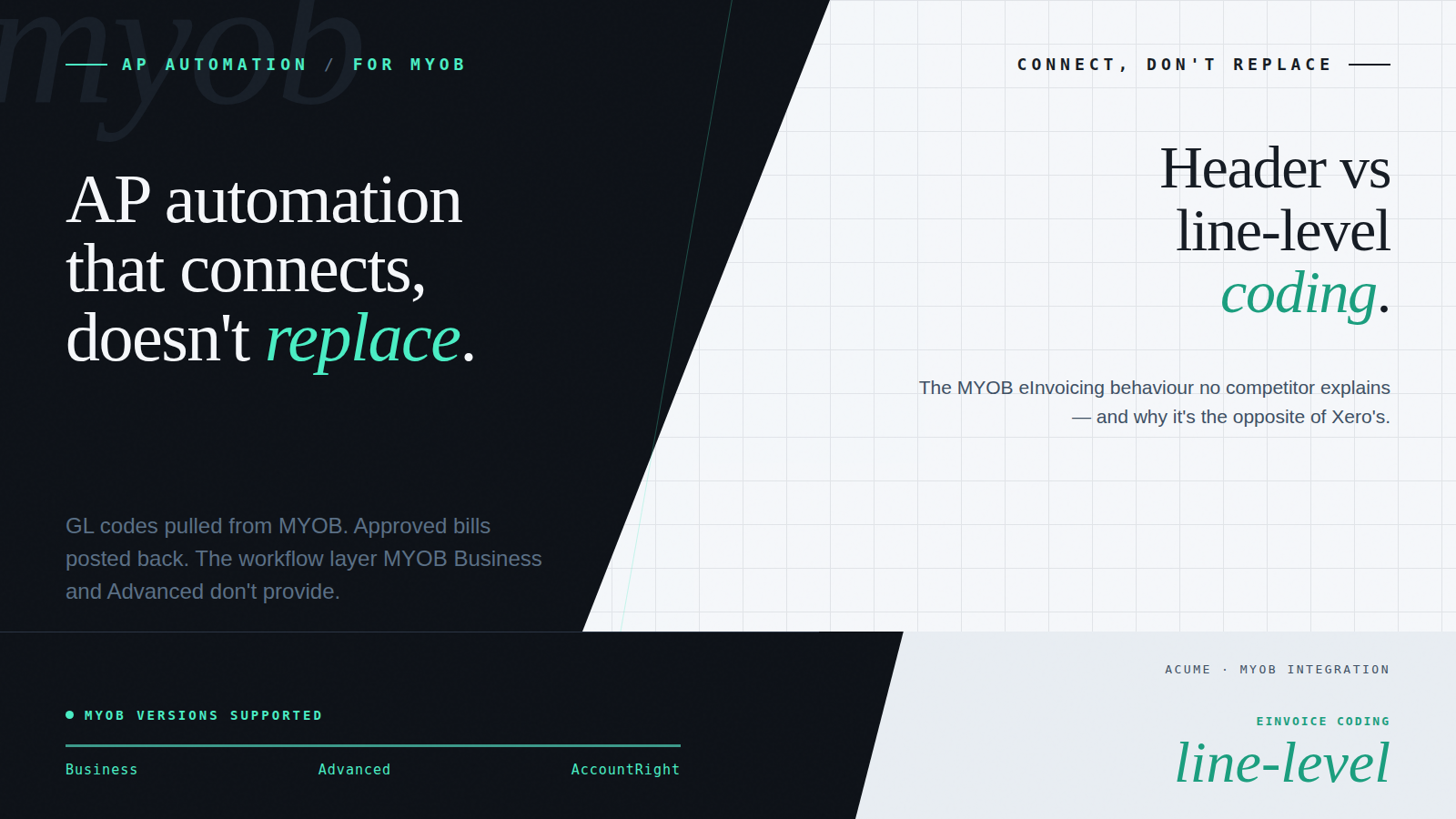
MYOB has been the accounting backbone of ANZ mid-market businesses for decades. Its two cloud versions, MYOB Business for SMEs and MYOB Advanced for larger mid-market businesses, provide solid chart of accounts management, financial reporting, payroll, and core accounting functions. For businesses that have run MYOB for years, the institutional knowledge embedded in that setup is real and valuable.
The AP workflow gap exists in both versions, though it looks different in each. MYOB’s native capabilities cover bill entry and basic payment processing. What they don’t cover is the workflow layer: automated invoice capture and coding, structured multi-tier approval routing with delegation of authority, purchase order matching at scale, supplier validation controls, and Peppol eInvoicing support that processes structured data rather than converting it back to a document format.
The distinction matters: MYOB is an accounting system. AP automation is a workflow layer that governs what gets into the accounting system, how invoices are captured, coded, approved, and validated before they’re posted. The two complement each other; they’re not alternatives.
This piece covers what each MYOB version can and can’t do natively for AP, how an AP automation add-on connects via cloud API, and what 2026 eInvoicing readiness looks like for MYOB users.
MYOB Business vs MYOB Advanced: The AP Capability Difference
MYOB’s two cloud versions serve different segments and have different AP capability profiles. Understanding the differences matters for choosing the right integration approach.
MYOB Business — MYOB Advanced
Typical business size — 10–150 staff (SME) — 150–500+ staff (mid-market)
Native AP capability — Bill entry, basic approvals — More structured; more native AP tools and approval workflows
GL structure — Standard chart of accounts — More flexible; supports job costing, dimensions, and complex cost structures
Integration approach — Cloud API – straightforward — Cloud API – full dimension and sub-account support
Key AP gap — No automated coding, no multi-tier approval, no PO matching — Supplier validation absent; eInvoicing workflow and multi-entity navigation incomplete
MYOB Business Users: The Most Common Gap
MYOB Business is the most widely used MYOB version in ANZ, and it’s where the AP automation gap is most commonly felt. MYOB Business users typically process somewhere between 50 and 200 invoices a month, enough volume for the manual workarounds to be genuinely painful, not enough to have triggered a wholesale platform upgrade.
The typical MYOB Business AP process looks like this: invoices arrive by email as PDFs. Someone on the finance team enters them into MYOB Business as bills, supplier, amount, date, GL code – manually. Coding decisions are made by whoever is doing the data entry, from memory or a reference document. The bill is then forwarded to the relevant approver by email. The approver replies. Finance processes the payment in MYOB Business. There is no systematic enforcement of whether the correct authority approved the correct amount, and no structured audit trail linking the approval to the bill.
The workarounds that accumulate around this process are familiar:
- GL coding inconsistency. Manual coding by different team members produces different results for the same supplier. The discrepancies surface at month-end reconciliation.
- No approval enforcement. MYOB Business has limited approval workflow capability. In practice, most businesses run approvals by email outside the system, which means there is no audit trail in MYOB of who approved what, under which authority, and at what amount.
- No PO matching. MYOB Business has purchase order functionality, but matching supplier invoices against POs is a manual process. Overpayments and duplicate payments go undetected until someone catches them.
- Supplier duplication. AccountRight doesn’t deduplicate supplier records automatically. The same supplier under different name variations, trading name, registered name, and abbreviated name, can accumulate as separate records, fragmenting payment history and complicating reconciliation.
An AP automation add-on addresses each of these structurally. Invoices are captured by AI or received as structured Peppol eInvoices; business rules apply the correct GL codes automatically; approval routing is governed by the platform based on amount thresholds and delegation of authority; PO matching runs on every applicable invoice without manual intervention. MYOB Business receives clean, approved bills, the finance team’s role shifts from data entry to exception handling.
MYOB Advanced Users: The Workflow Layer That’s Still Missing
MYOB Advanced is the more capable of the two versions, built for mid-market businesses that need more sophisticated GL structures, project and job costing, multi-entity reporting, and deeper financial management than MYOB Business provides. It has more native AP functionality than MYOB Business: more structured purchase order management, a more flexible GL configuration, and better support for complex cost centre hierarchies.
In practice, however, many MYOB Advanced implementations haven’t fully built out the AP workflow layer, approval hierarchies are partially configured, business rules are incomplete, or the implementation was scoped around core accounting rather than workflow automation. The capability may exist in principle; the configuration that makes it work for a specific business structure often hasn’t been completed.
Even for well-configured MYOB Advanced environments, three specific gaps remain consistently:
- Supplier validation controls. MYOB Advanced’s supplier management doesn’t include the bank account verification and change-control layer that prevents Business Email Compromise fraud. Supplier bank details can be updated without an independent verification step, the same structural vulnerability present in MYOB Business and most other accounting platforms.
- Governed eInvoicing workflow. MYOB Advanced can receive Peppol eInvoices, but the AP workflow layer, automated coding, multi-tier approval routing, and exception handling after the eInvoice arrives, is not provided by the platform alone. The eInvoice arrives; what happens to it within the workflow depends on manual steps or an AP automation add-on.
- Consolidated multi-entity navigation. Multi-entity MYOB Advanced implementations require navigation between separate company files. A financial controller responsible for multiple entities works across them individually. An AP automation layer provides a unified view across all entities without context-switching between separate MYOB instances.
How the MYOB Integration Works – For the Finance Team
Regardless of which MYOB version your business runs, the integration principle is the same: MYOB stays your accounting system and source of financial truth. The AP automation platform handles the workflow layer – capture, coding, approval, and matching – and posts approved data back to MYOB on completion.
The connection works as follows:
- GL codes, suppliers, cost centres, and tax logic are pulled from MYOB into the AP platform at setup via the MYOB cloud API. Both MYOB Business and MYOB Advanced connect this way; the API pulls your GL structure, supplier list, cost centres, and tax codes directly, with changes in MYOB syncing through automatically.
- Business rules in the AP platform reference the MYOB GL structure directly. The coding logic reflects your actual chart of accounts, cost centres, job codes, analysis codes, and tracking categories, not a generic approximation. When the GL structure changes in MYOB, the change syncs through to the AP platform.
- Approved invoices post back to MYOB automatically on completion of the workflow, coded correctly, approved under the right authority, matched against the relevant PO where applicable. No manual re-entry.
- MYOB receives clean, confirmed bills. The AP team’s manual data entry step is replaced by exception handling for invoices that genuinely require a decision, the small proportion that don’t follow a known pattern.
For the finance team, the MYOB environment stays intact. Payment runs, bank reconciliation, financial reporting, and payroll all continue exactly as before. The workflow that feeds MYOB becomes governed, auditable, and eInvoicing-ready.
The implementation effort lives in the rule configuration, mapping your MYOB GL structure, approval hierarchy, and supplier logic into the AP platform’s business rules. A pre-configured rules baseline shortens this significantly compared to building from scratch, and the accounting system connection itself takes minutes rather than weeks.
eInvoicing on MYOB: What 2026 Readiness Actually Looks Like
Both MYOB Business and MYOB Advanced have Peppol network connectivity, and structured eInvoices can be received via the Peppol network. Understanding what MYOB handles natively and what requires an AP workflow layer matters for building a realistic 2026 readiness position.
When a Peppol eInvoice arrives in MYOB, the platform imports the header-level data: supplier, invoice number, date, and total amount. If you want to code the invoice at the line level, applying different GL codes to different line items, you need to manually add each line to the bill in MYOB after the eInvoice arrives. The structured line-item data from the Peppol eInvoice isn’t automatically expanded into individual bill lines for coding purposes.
This is the mirror image of how Xero handles the same situation. Xero presents every line item from a Peppol eInvoice for individual coding and requires manual work if you want to apply a single header-level code. MYOB imports the header and requires manual work if you want line-level coding. In both cases, the friction is real and the workaround is manual, and in both cases, an AP automation layer closes the gap.
What an AP automation layer adds: business rules can handle both coding approaches, header-level coding for invoices where a single GL code applies to the full amount, and line-level coding for invoices where different items need different allocations. The rules apply automatically on receipt of the eInvoice, without manual intervention for either scenario. The structured data from the Peppol eInvoice is preserved and processed; the finance team sees only the exceptions that fall outside the configured rules.
Beyond the coding behaviour, the broader eInvoicing workflow gap applies to both MYOB versions: receiving a Peppol eInvoice and processing it through a governed AP workflow — approval routing, PO matching, and audit trail are separate capabilities. MYOB handles the receipt; the AP automation layer governs everything that follows.
For ANZ MYOB users building their 2026 readiness:
- Commonwealth government agencies already require Peppol eInvoices for B2G transactions. If you have any government customers, Peppol-capable outbound billing is already a requirement for those relationships.
- Peppol adoption in the supplier base is accelerating. As more suppliers register on the Peppol network, the proportion of eInvoices in your AP workflow will grow. A workflow that handles them without manual intervention becomes more valuable as that proportion increases.
- The cost benefit of eInvoicing, lower per-invoice processing cost, elimination of the extraction step, is only realised if the workflow processes structured eInvoice data automatically. MYOB’s native import handles receipt; the AP automation layer handles everything after it.
Ready to See What’s Possible for Your MYOB Setup?
Acume connects to MYOB Business and MYOB Advanced via API, pulling your GL structure, suppliers, and cost centres directly, posting approved invoices back automatically, and processing Peppol eInvoices in the same workflow as PDFs. MYOB stays exactly where it should be; the AP workflow layer becomes governed, auditable, and eInvoicing-ready.
Frequently Asked Questions
Does AP automation replace MYOB?
No. MYOB remains your accounting system and source of financial truth across all versions. The AP automation platform governs the workflow before invoices are posted to MYOB, capture, coding, approval, and matching. Approved invoices post back to MYOB automatically. Your GL structure, payment runs, reconciliation, and reporting all stay in MYOB exactly as before.
Which MYOB versions does Acume connect to?
Acume integrates with MYOB Business and MYOB Advanced via the MYOB cloud API. Both versions connect using the same API approach, which pulls your GL codes, suppliers, cost centres, and tax logic directly into the AP platform. Approved invoices and bills post back to MYOB automatically on workflow completion.
How long does implementation take for a MYOB environment?
The accounting system connection itself, establishing the API link and syncing GL codes, suppliers, and tax logic, takes hours, not weeks. The implementation effort is in the rule configuration: mapping your MYOB GL structure, approval hierarchy, cost centres, and supplier defaults into the AP platform’s business rules. MYOB Business environments with standard GL structures deploy faster; MYOB Advanced environments with complex job costing or multi-entity structures take longer. A pre-configured rules baseline shortens the process for both.
Is it eInvoicing-ready for 2026?
Yes. Peppol eInvoices are received and processed through the same governed AP workflow as PDFs, including both header-level and line-level GL coding from business rules, approval routing, PO matching where applicable, and a complete audit trail. The structured data from the Peppol eInvoice is preserved and processed automatically; the finance team handles only exceptions that fall outside the configured rules.
Can it handle multiple MYOB companies or entities?
Yes. Each MYOB company or entity connects as a separate account in Acume, with its own GL codes, approval hierarchy, and supplier data — but all are visible and navigable within one platform. Financial controllers responsible for multiple MYOB entities can review AP positions and manage approvals across all of them without logging into and out of separate MYOB instances.
A demo on your actual workflow.
A live walkthrough using real data – the capture, the coding, the approval routing – and how it sits inside the AP workflow you already run. No slideware.